When using the EDISendPipeline in BTS2006 R2, that might be interesting:
My colleague Christian and me just found out that the EDI stream is validated by the stream reader while parsing the stream! So, when you work on the EDI stream which is produced by the EDI assembler, you get exceptions like "Error in serialization" if your EDI file is invalid. Quite clever how the programmers solved the validation of EDIFACT since it validates the file while returning it to the next step in the Send Pipeline.
Addition 2009-10-21:
Because of this, the EDI stream can't be read twice in following self-build pipeline components and BodyPart.Data.CanSeek is set the false.
Thursday, February 26, 2009

Thursday, February 12, 2009
Aggregating Values from a Hierarchy
In a session about the SQL Server 2008 datatype HierarchyID, the question came up whether you can easily ask question such as: "If I store things (and sup-things and so on) with a number in a hierachy, can I sum up the numbers of a thing, including the subthings?"
The answer is, yes, you can, and here is how it goes. The following code shows a table which hierarchically stores websites and their clickrate.
-- create hierarchical table
create table websiteCalls
(
path hierarchyid,
filename nvarchar(100),
clickCount int
)
-- insert root node "index"
insert into websiteCalls values (hierarchyid::GetRoot(), 'index.html', 1000)
go
-- insert a level 1 entry "products"
declare @index hierarchyid
select @index = path from websiteCalls where filename='index.html'
insert into websiteCalls values (@index.GetDescendant(null, null), 'products.html', 200)
-- insert two more level 1 entries "customers" and "impressum"
declare @products hierarchyid
select @products = path from websiteCalls where filename='products.html'
insert into websiteCalls values (@index.GetDescendant(@products, null), 'customers.html', 100)
insert into websiteCalls values (@index.GetDescendant(null, @products), 'impressum.html', 10)
-- insert a "product1" on level 2
insert into websiteCalls values (@products.GetDescendant(null, null), 'product1.html', 300)
declare @product1 hierarchyid
select @product1 = path from websiteCalls where filename='product1.html'
-- insert two more level 2 entries
insert into websiteCalls values (@products.GetDescendant(@product1, null), 'product2.html', 50)
insert into websiteCalls values (@products.GetDescendant(null, @product1), 'product0.html', 100)
go
-- get all websites and their clickrates
select path.ToString(), filename, clickCount from websiteCalls
-- get the sum of clickrate number of all product-pages:
declare @products hierarchyid
select @products = path from websiteCalls where filename='products.html'
select SUM(clickcount) from websiteCalls where path.IsDescendantOf(@products) = 1 and path<>@products
The answer is, yes, you can, and here is how it goes. The following code shows a table which hierarchically stores websites and their clickrate.
-- create hierarchical table
create table websiteCalls
(
path hierarchyid,
filename nvarchar(100),
clickCount int
)
-- insert root node "index"
insert into websiteCalls values (hierarchyid::GetRoot(), 'index.html', 1000)
go
-- insert a level 1 entry "products"
declare @index hierarchyid
select @index = path from websiteCalls where filename='index.html'
insert into websiteCalls values (@index.GetDescendant(null, null), 'products.html', 200)
-- insert two more level 1 entries "customers" and "impressum"
declare @products hierarchyid
select @products = path from websiteCalls where filename='products.html'
insert into websiteCalls values (@index.GetDescendant(@products, null), 'customers.html', 100)
insert into websiteCalls values (@index.GetDescendant(null, @products), 'impressum.html', 10)
-- insert a "product1" on level 2
insert into websiteCalls values (@products.GetDescendant(null, null), 'product1.html', 300)
declare @product1 hierarchyid
select @product1 = path from websiteCalls where filename='product1.html'
-- insert two more level 2 entries
insert into websiteCalls values (@products.GetDescendant(@product1, null), 'product2.html', 50)
insert into websiteCalls values (@products.GetDescendant(null, @product1), 'product0.html', 100)
go
-- get all websites and their clickrates
select path.ToString(), filename, clickCount from websiteCalls
-- get the sum of clickrate number of all product-pages:
declare @products hierarchyid
select @products = path from websiteCalls where filename='products.html'
select SUM(clickcount) from websiteCalls where path.IsDescendantOf(@products) = 1 and path<>@products
Tuesday, January 27, 2009
Developing BizTalk with Professional Edition or Team Edition*
If you have to choose a Visual Studio 2005 edition to develop BizTalk 2006 in combination with Team Foundation Server, you should keep in mind that the Team Edition has all the features of the Professional Edition and some more (quoted from Microsoft):
- Team Foundation Server CAL includfor accessing Team Foundation Server
- Team Foundation Server Workgroup Edition included when purchasing Visual Studio Team System Editions with an MSDN Premium Subscription
- 64-Bit Debugging (IA64) enables you to debug 64-bit applications running on Windows 64-bit computers remotely
- Code Analysis Tools such as Code Analysis Check-in Policy (which enforces developers to run a code analysis before a check-in of code)
- Code Profiling Tools like Hot Path (that helps finding bottle necks inside the code) and a Stand-Alone Profiler
- Code Coverage to measure the effectiveness of tests on a line-by-line or even a block-by-block basis
- Item templates to run Performance tests
That means, that you can connect to the Team Foundation Server from Visual Studio if you just buy the CAL-licence which includes the Team Explorer. However, you won't get the benefits of the Team Edition then.
*I'm using the term "Team Edition" as a short form for the Development Edition of Visual Studio Team System 2008.
- Team Foundation Server CAL includfor accessing Team Foundation Server
- Team Foundation Server Workgroup Edition included when purchasing Visual Studio Team System Editions with an MSDN Premium Subscription
- 64-Bit Debugging (IA64) enables you to debug 64-bit applications running on Windows 64-bit computers remotely
- Code Analysis Tools such as Code Analysis Check-in Policy (which enforces developers to run a code analysis before a check-in of code)
- Code Profiling Tools like Hot Path (that helps finding bottle necks inside the code) and a Stand-Alone Profiler
- Code Coverage to measure the effectiveness of tests on a line-by-line or even a block-by-block basis
- Item templates to run Performance tests
That means, that you can connect to the Team Foundation Server from Visual Studio if you just buy the CAL-licence which includes the Team Explorer. However, you won't get the benefits of the Team Edition then.
*I'm using the term "Team Edition" as a short form for the Development Edition of Visual Studio Team System 2008.
Sunday, January 25, 2009
Managing hierarchical data in SQL Server 2008
There are roughly three different approaches to store and retrieve hierarchical data in SQL Server:
Parent-Child-Approach with Recursive TCE:
You can save the ID of a node's parent in an extra “parent column”:

Then you connect the referenced items with recursive Common Table Expressions (CTE).
HierarchyID data type:
Or you save the node’s hierarchy location with the new data type HierarchyID, which stores a path to a node and, thus, reveals the where in a tree the row occurs. A sample table looks like this:

The hierarchy is directly visible and, unlike in the simple parent-child-pattern, you have now the HierarchyID methods to work against the tree structure.
XML data type:
The third option is to represent the hierarchy in a XML document and store the instance in an xml column:

Doing this, you can retrieve information from the tree using XQuery.
This is meant to be a teaser... ;-) I'm going to write more about this the next days.
Parent-Child-Approach with Recursive TCE:
You can save the ID of a node's parent in an extra “parent column”:

Then you connect the referenced items with recursive Common Table Expressions (CTE).
HierarchyID data type:
Or you save the node’s hierarchy location with the new data type HierarchyID, which stores a path to a node and, thus, reveals the where in a tree the row occurs. A sample table looks like this:

The hierarchy is directly visible and, unlike in the simple parent-child-pattern, you have now the HierarchyID methods to work against the tree structure.
XML data type:
The third option is to represent the hierarchy in a XML document and store the instance in an xml column:

Doing this, you can retrieve information from the tree using XQuery.
This is meant to be a teaser... ;-) I'm going to write more about this the next days.
Tuesday, January 20, 2009
How does the SAP adapter retrieve the list of IDocs?
At a customer, we had the problem that the SAP adapter (building on SAP .net Connector v1.0.2) didn't retrieve the IDoc that we wanted to call:

To analyse how the SAP adapter retrieves this list of IDocs, we traced the RFC communication between SAP and BizTalk (transaction ST05*) and found out that the SAP .net Connector uses the BAPIs RFC_SYSTEM_INFO and IDOCTYPES_FOR_MESTYPE_READ to get a list of IDocs which are released:

Using transaction SE37, we (thanks, Rüdiger!) could analyse the BAPI IDOCTYPES_FOR_MESTYPE_READ and see that it uses the table EDIMSG to get the IDocs. And their we saw that the BAPI doesn't call for "message types" instead of "basic types". And, guess what, the message type had a different name then the basic type (which makes perfectly sense) and, thus, couldn't be found.
* Tipp: When logging to SAP to trace, you have to use the same user that you use inside the Send Port / Receive Location.

To analyse how the SAP adapter retrieves this list of IDocs, we traced the RFC communication between SAP and BizTalk (transaction ST05*) and found out that the SAP .net Connector uses the BAPIs RFC_SYSTEM_INFO and IDOCTYPES_FOR_MESTYPE_READ to get a list of IDocs which are released:

Using transaction SE37, we (thanks, Rüdiger!) could analyse the BAPI IDOCTYPES_FOR_MESTYPE_READ and see that it uses the table EDIMSG to get the IDocs. And their we saw that the BAPI doesn't call for "message types" instead of "basic types". And, guess what, the message type had a different name then the basic type (which makes perfectly sense) and, thus, couldn't be found.
* Tipp: When logging to SAP to trace, you have to use the same user that you use inside the Send Port / Receive Location.
Monday, January 19, 2009
How to solve Problems when accessing an IDoc with the SAP Adapter
If you can't see an IDoc when you try to create a schema in Visual Studio using the SAP adapter (building on SAP .net connector 1.0.2), the problem is usually that the IDocs hasn't been published ("freigegeben"). You can check this here:
we60 - Check whether your IDoc is known in a specific SAP Release (we often had the problem that segments of an IDoc weren't known in a release)
we30 - You can check here whether all segements are published. Click on the segment, then "segment editor". There's a checkbox whether this segment is published.
we20 - If you can access the IDoc but can't send data to it, the IDoc might miss a partner agreement ("Partnervereinbarung").
we60 - Check whether your IDoc is known in a specific SAP Release (we often had the problem that segments of an IDoc weren't known in a release)
we30 - You can check here whether all segements are published. Click on the segment, then "segment editor". There's a checkbox whether this segment is published.
we20 - If you can access the IDoc but can't send data to it, the IDoc might miss a partner agreement ("Partnervereinbarung").
Friday, January 16, 2009
Creating Functoids inside the XML Code of the Mapping File
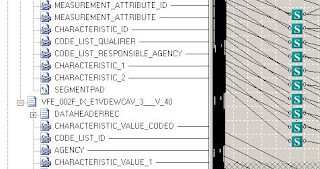
I had to create a BizTalk mapping with 246 Logical Existence-Functoids, which always checked whether a source field existed and then enabled or disabled the source field. You can save quite a lot of time (and I guess manual mistakes), if you use an text editor to create the XML manually to the transformation file (the format is called BTM and it's XML).
So, in case, your mapping looks like this, and you need many more functoids of that kind...
1) Open the transformation in some text editor.
2) Save the code of a new created functoid, for example:
<functoid functoidid="236" x-cell="59" y-cell="60" fid="317" name="Logical String" label=""><input-parameters></functoid>
3) Paste the code to a new file and put tabs into each line so that the code looks like this:
<functoid functoidid="[tab]236[tab]" x-cell="59" y-cell="[tab]60[tab]" fid="317" name="Logical String" label=""><input-parameters></functoid>
4) Now, copy the content to Excel and copy the lines so that the number, which should be pasted to extra columns, are increased-
5) Copy the content to a text editor, delete the tabs again and paste the code into the transformation file.
Ops! You should take care that the text editor that opens the BTM file externally doesn't change the unicode of the file.
So, in case, your mapping looks like this, and you need many more functoids of that kind...

1) Open the transformation in some text editor.
2) Save the code of a new created functoid, for example:
<functoid functoidid="236" x-cell="59" y-cell="60" fid="317" name="Logical String" label=""><input-parameters></functoid>
3) Paste the code to a new file and put tabs into each line so that the code looks like this:
<functoid functoidid="[tab]236[tab]" x-cell="59" y-cell="[tab]60[tab]" fid="317" name="Logical String" label=""><input-parameters></functoid>
4) Now, copy the content to Excel and copy the lines so that the number, which should be pasted to extra columns, are increased-
5) Copy the content to a text editor, delete the tabs again and paste the code into the transformation file.
Ops! You should take care that the text editor that opens the BTM file externally doesn't change the unicode of the file.
Thursday, August 21, 2008
Archive Messages with a BizTalk Pipeline to a Database
In a BizTalk project, Mikael Håkansson and me had to create a receive pipeline in BizTalk, which archives messages to the database. A colleague of mine (Christian Brückner, which blogs here sometimes, too) inspired us to use the SQL-Command UPDATETEXT to store the messages in streams to the database. The result is quite cool and can be read on Mikael's blog post BizTalk SQL Message Archive component using Forward-Only Streaming.
Wednesday, August 13, 2008
Hot Fix Released to use MSMQ and EdiReceive Pipeline
On April 1, 2008, Microsoft released a hot fix for the bug that we found when using the EDIReceive-Pipeline with MSMQ (see blog entry from September 2007). The hot fix can be downloaded here: http://support.microsoft.com/kb/948747/en-us.
Friday, April 18, 2008
Export/Import BizTalk Parties with Database functions
Christian has already explained how to export and import large amounts of BizTalk parties with BindingImport. Now, we were thinking of exporting the BizTalk parties directly from one BizTalkMgmtDb to a new server without BizTalk parties. You can do this in six steps:
If you also want to adapt more EDIFACT configurations, you have to migrate the tables that start with "EdiPartner", too!
- Check wether there are no parties yet saved on the target server (check bts_party)
- Temporarily disable the identity flag for the primary key columns n_id of the tables bts_party and bts_party_alias on the target database.
- Copy the table bts_party from the source system to the target database (you can't copy both tables in one step due to references' integrity).
- Enable the identity flag for column n_id in table bts_party on the target database.
- Copy the table bts_party_alias from the source system to the target database.
- Enable the identity flag for column n_id in table bts_party_alias on the target database.
If you also want to adapt more EDIFACT configurations, you have to migrate the tables that start with "EdiPartner", too!
Subscribe to:
Comments (Atom)